Bring your products to life
An interactive 3D configurator for furniture, cabinetry, finishes, and lighting brands. Let customers explore, customize, and preview products before they buy — no app required.
80M+
3D models available
0
App install required
10 min
Plan to editable 3D
16K
Maximum render resolution
What It Does
Everything a product page needs
Visualizer turns a static product listing into something customers can actually explore.
360° Product Configurator
Customers rotate, zoom, and inspect a photoreal digital twin of your product from every angle, right in the browser.
One-Click Customization
Swap finishes, colors, and materials instantly. Every combination renders in real time, no waiting on new photography.
Works on Any Screen
Embed the Visualizer on your site or run it on in-store displays and tablets. No app download, no plugin required.
Built to Convert
Give shoppers the confidence to buy by letting them preview the exact product, in the exact finish, before checkout.
In Practice
Quick looks at the Visualizer
Short clips of the interactions customers use most.
Rotate & Inspect
Spin the product a full 360° to check joinery, texture, and proportion before committing to it.
Swap Finishes Live
Tap through color and material options and watch the render update in real time, no reload needed.
Drop Into a Room
Preview the piece inside a styled room scene instead of a plain studio background.
AI Tools
AI for the repetitive parts
AI Layout proposes furnished layouts from an imported floor plan, design templates fit a complete look to a room, and Style Transfer applies the style of a reference image — and every result stays an editable 3D scene.
- AI Layout from an imported floor plan
- Auto-fit AI design templates
- Style Transfer from a reference image
- AI virtual staging
3D Workspace
Edit in the browser, render in the cloud
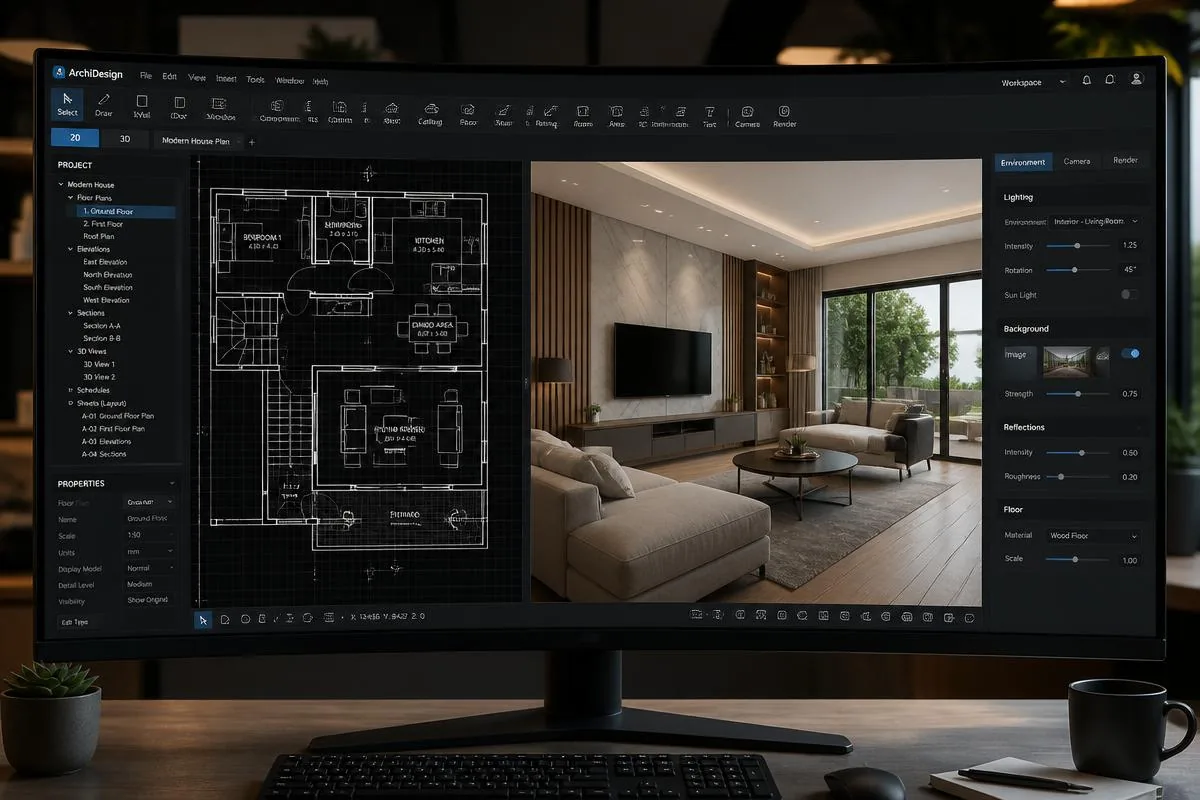
Our web-based 3D editor gives you the power of desktop CAD software without the installation. Work on floor plans, furnish spaces, adjust lighting, and produce photorealistic renders without a powerful local machine.
- Drag-and-drop furniture and materials
- Real-time shadows and reflections
- Instant 2D/3D view synchronization
- Cloud rendering with no local GPU needed
See It In Motion
Watch a product come to life
A 30-second look at rotating, customizing, and previewing a piece in real time.
Embed the same experience anywhere
Before / After
Swap a finish, see it instantly
Drag the handle to see how a single material swap changes the entire piece, live in the Visualizer. No reshoot, no wait — just an instant preview your customers can trust.
Upload or select a scene
Start from an empty room photo or one of your existing product listings.
Choose a finish or configuration
Pick a material, color, or product variant from your catalog.
Drag to compare
The Visualizer renders the change instantly so customers can compare before and after.
Publish anywhere
Embed the same interactive preview on your product page or in-store display.
Explore Configurations
Every finish, ready to preview
A sample of the configurations customers can explore inside the Visualizer.
Boucle Sofa — Oat

Oak Cabinetry — Natural
Walnut Dining Set

Matte Stone Vanity
Modular Shelving — Walnut
Who It's For
Built for anyone selling a physical product
From showroom floors to online storefronts.
Furniture Retailers
Let shoppers configure a sofa's fabric and legs, then drop it into a room scene before adding to cart.
Interior Designers
Present material and finish options to clients live in a meeting, with changes reflected instantly.
Manufacturers
Turn a single product line into an interactive catalog without reshooting every color and finish combination.